Migrating Bitbucket Cloud to Forge
Antenna’s Bitbucket Cloud integration now runs as an Atlassian Forge app, replacing the previous Connect app. If you connected Bitbucket Cloud with the Connect app, a workspace admin must install the Forge app to ensure data continues syncing.
Install the Forge app
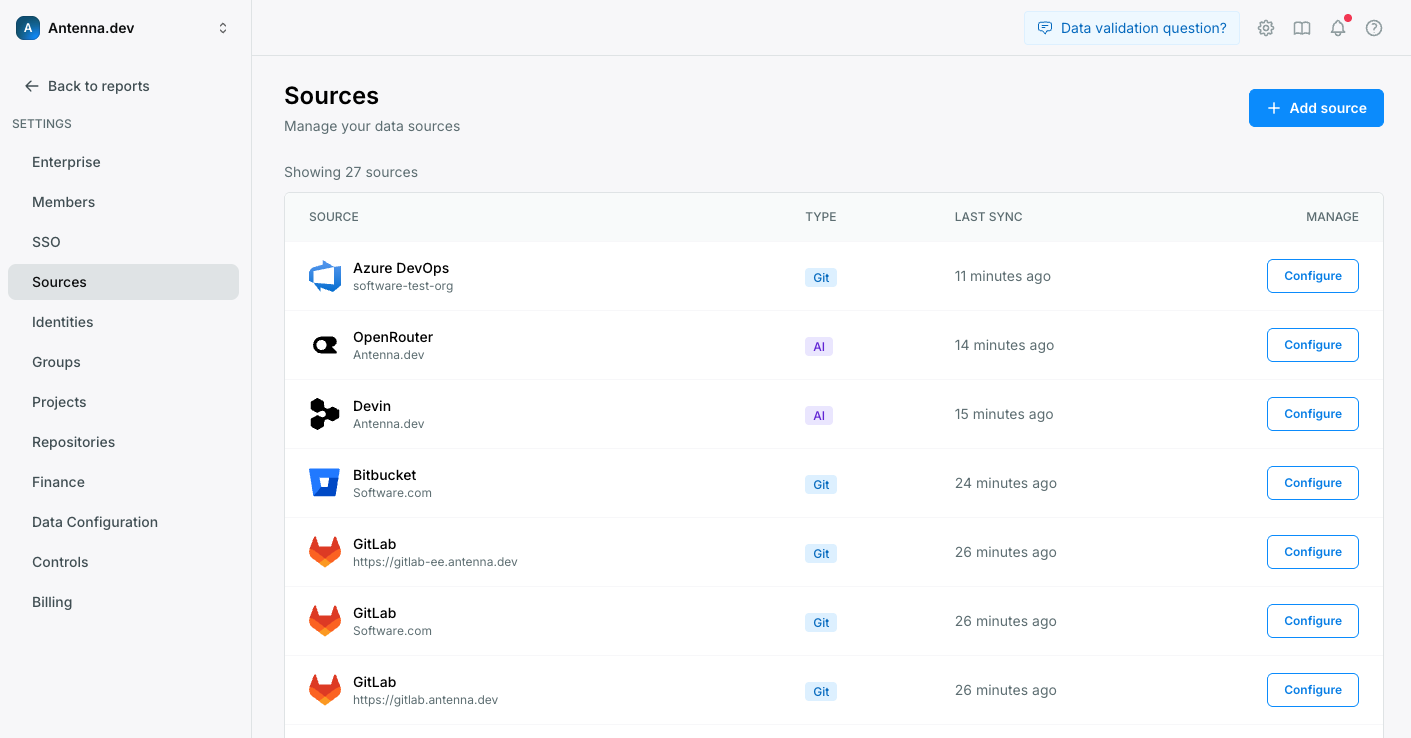
Open Sources in Antenna
Go to Settings > Sources and click Configure on Bitbucket.
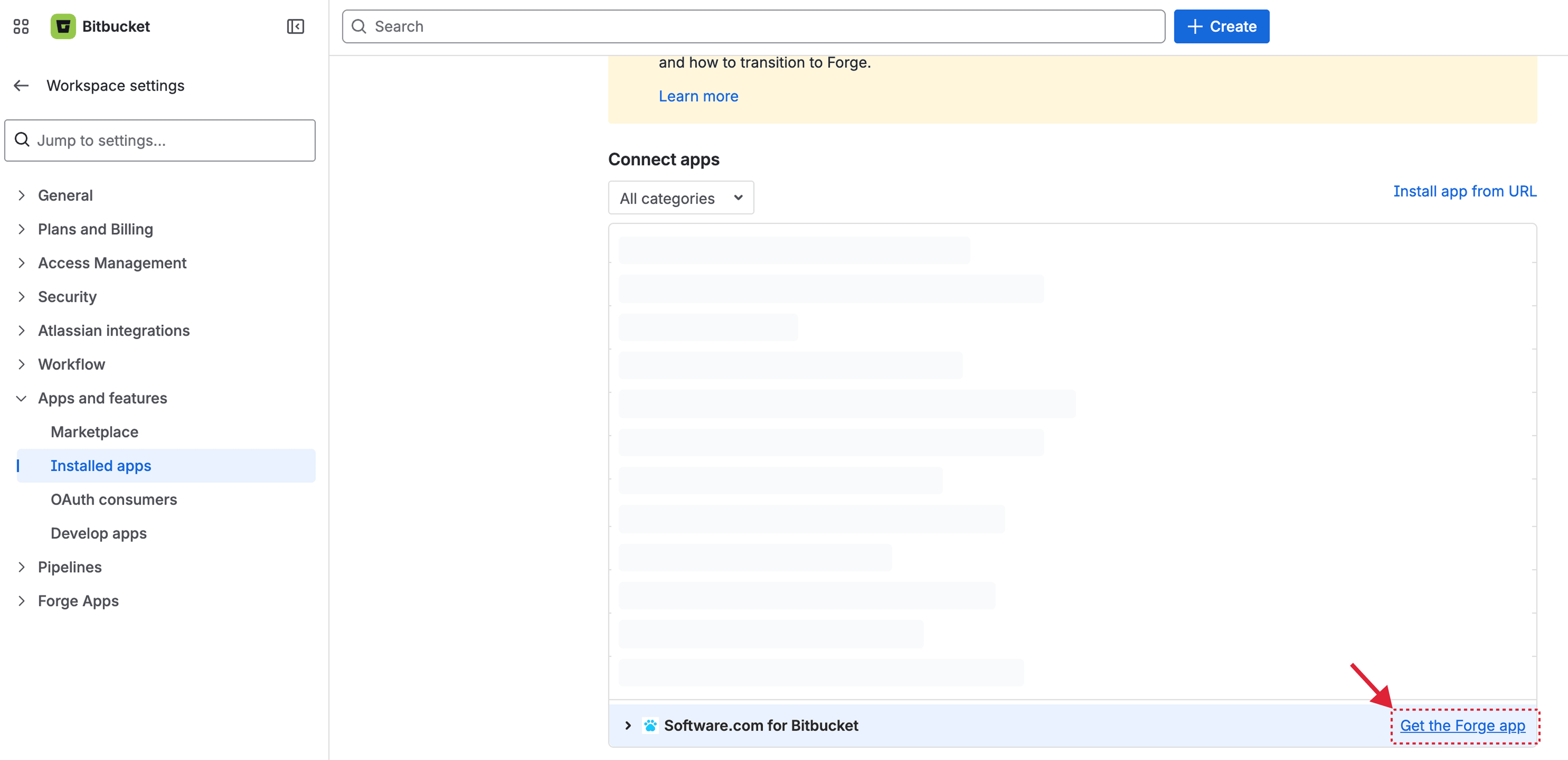
Get the Forge app from Bitbucket
This will take you to Bitbucket Workspace Settings > Apps and features > Installed apps. Click Get the Forge app.
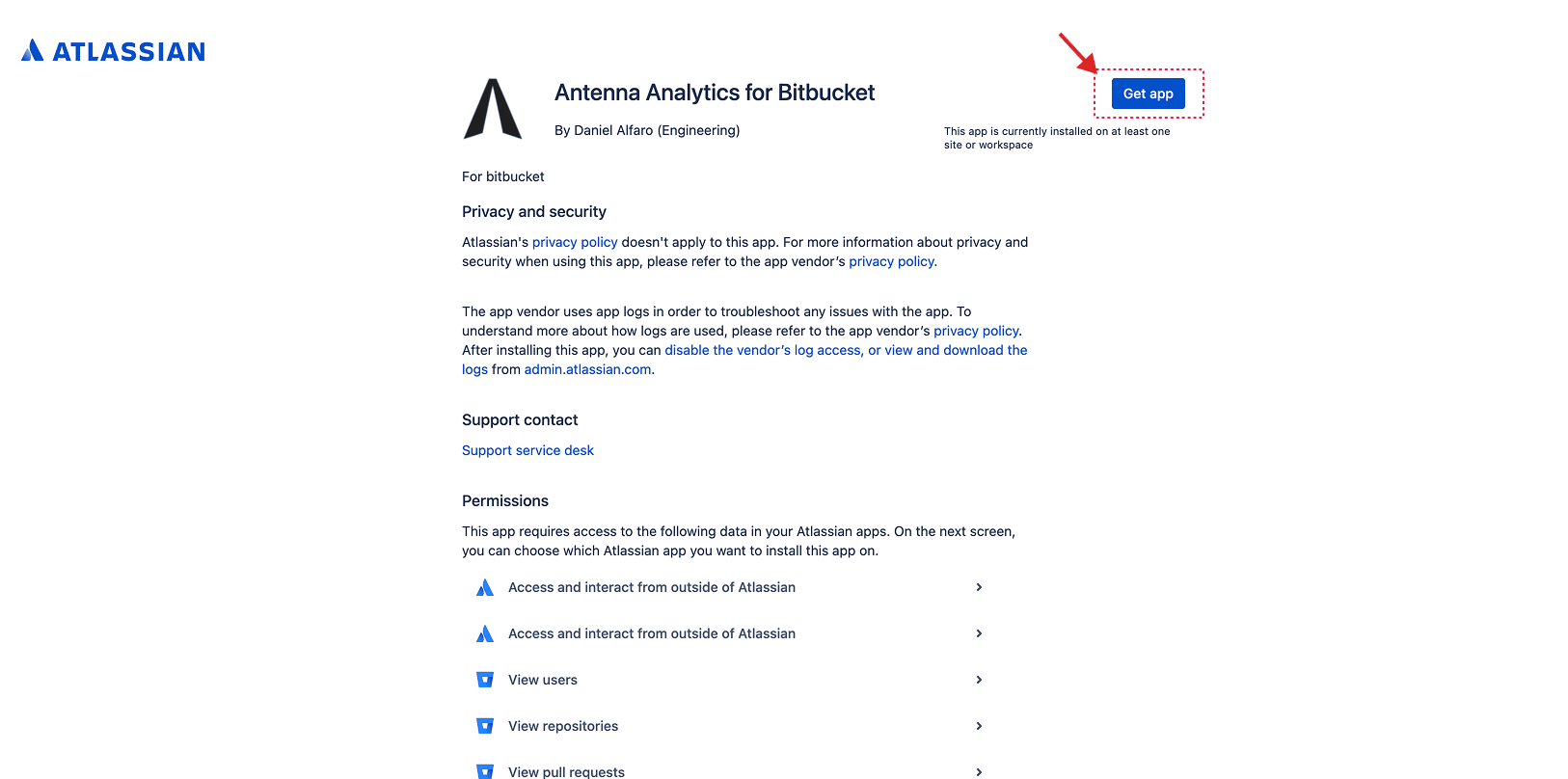
Install the Forge app
Click Get app to install the new Forge app.
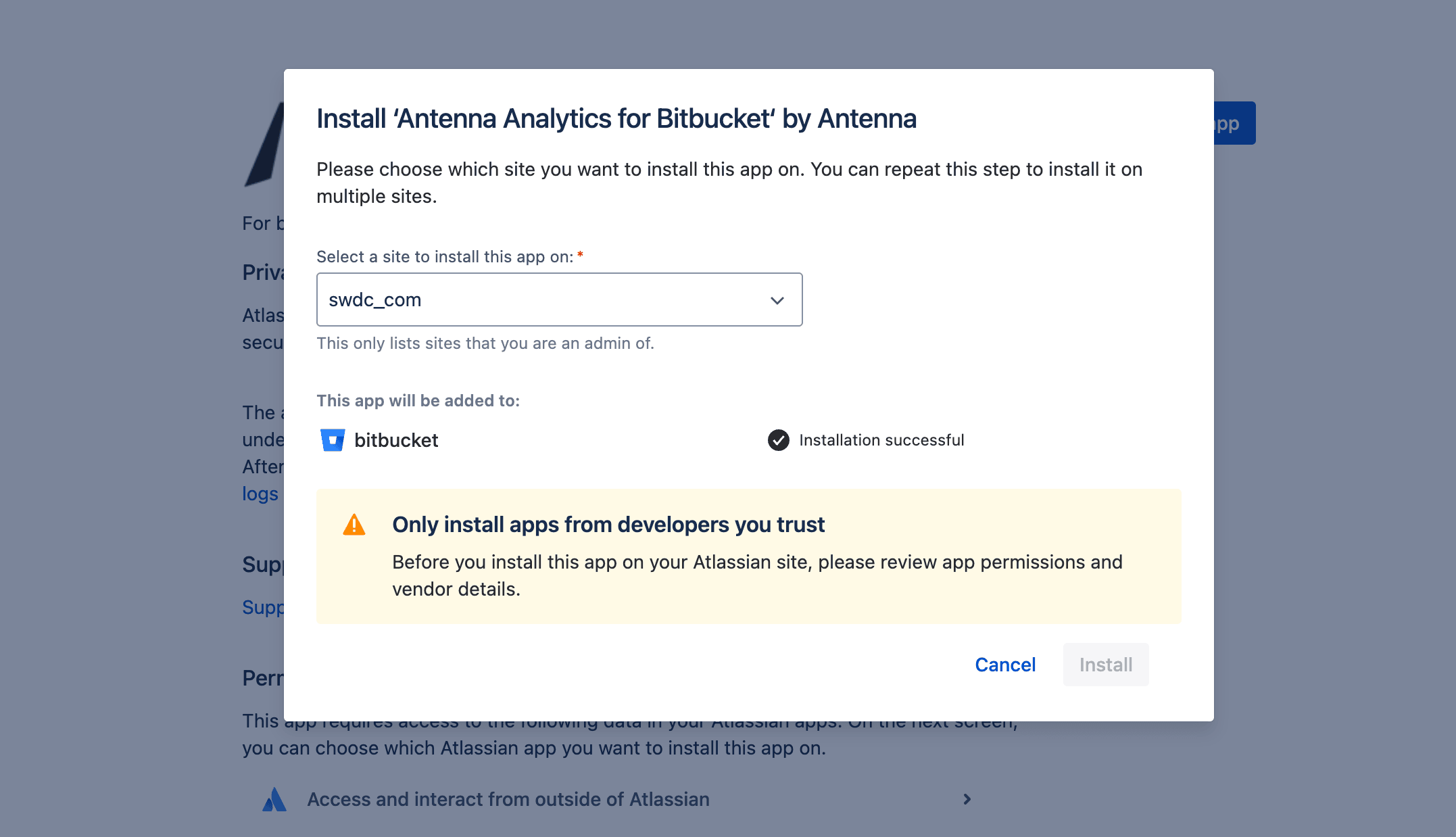
Choose your site and confirm installation
Choose your site and click Install. You will see a message confirming “Installation successful”. You can close this window.
Link the Forge app to Antenna
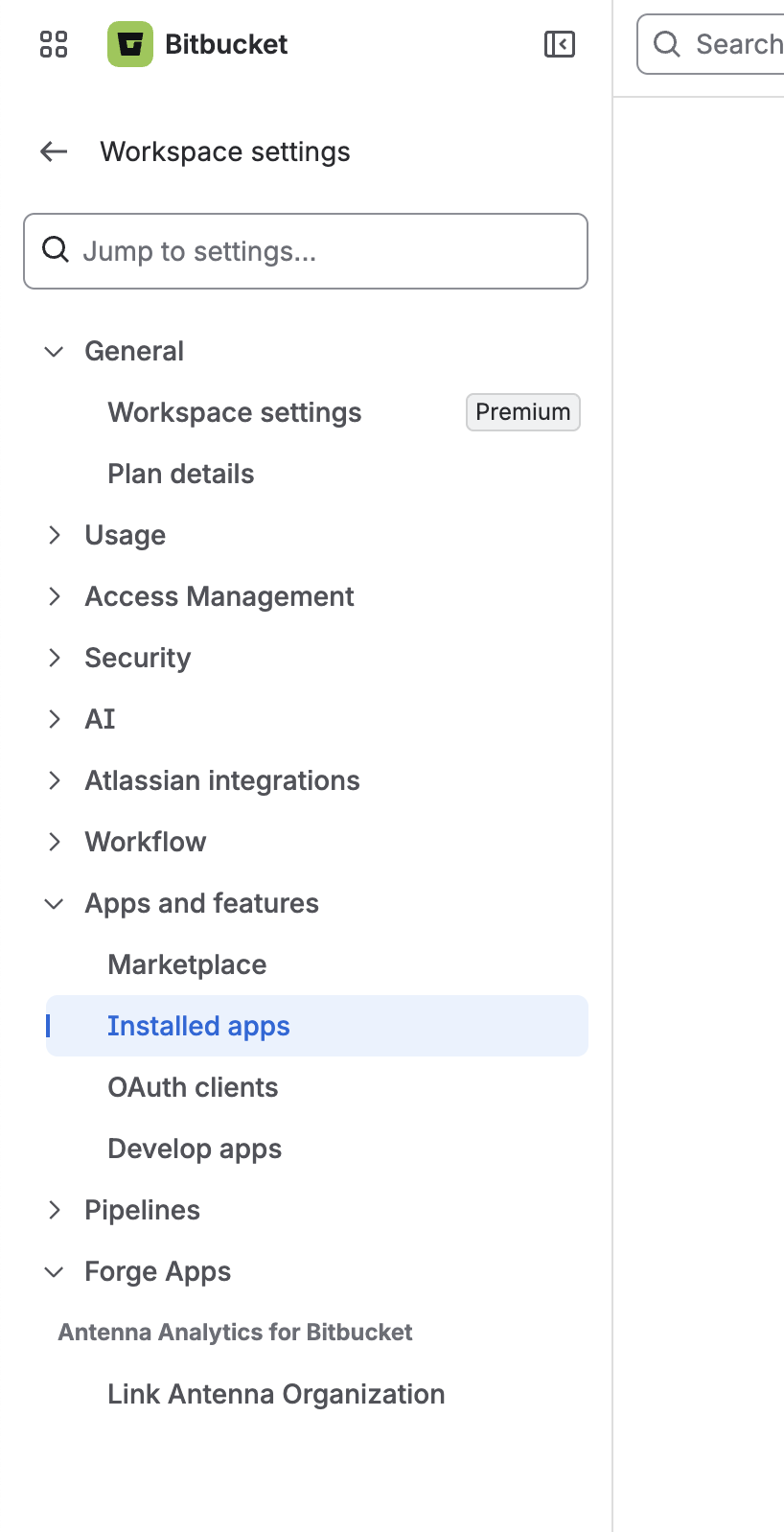
Go to your Bitbucket workspace’s Installed apps page at https://bitbucket.org/{{your_workspace}}/workspace/settings/addon-management/.
In the left sidebar, scroll to the bottom to a new section called Forge Apps. Under Antenna Analytics for Bitbucket, select Link Antenna Organization. The app row in the Forge apps table on the page itself is not clickable.
No need to uninstall the Connect app — we will uninstall it for you.